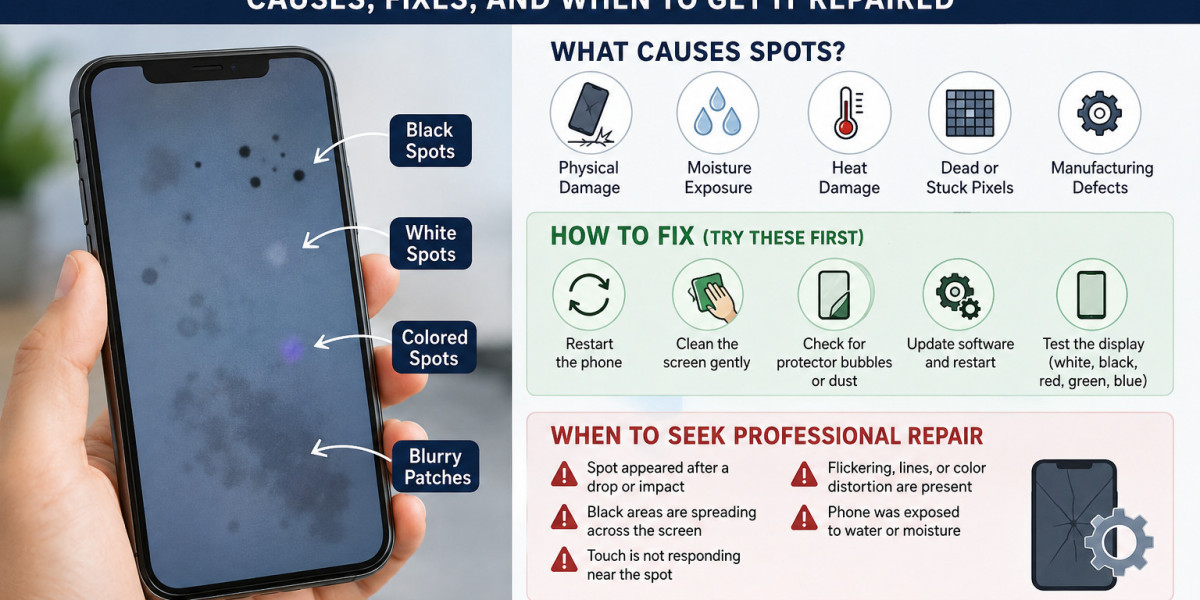

Spots on a phone screen can be frustrating, especially when they affect visibility while watching videos, browsing, or using apps. These spots may appear as black dots, white patches, colored marks, or blurry areas on the display. In many cases, the problem is minor and can be fixed at home, but some spots indicate internal screen damage that requires professional repair.
Common Types of Spots on a Phone Screen
The appearance of the spot often helps identify the cause:
- Black spots: Usually caused by pressure damage, impact, or a cracked LCD/OLED panel.
- White spots: Often linked to pressure on the display, backlight issues, or loose internal components.
- Colored spots (green, pink, purple, or blue): Common on OLED screens and may indicate pixel damage or moisture exposure.
- Blurry or cloudy patches: Can result from moisture, heat damage, or adhesive problems beneath the screen.
What Causes Spots on a Phone Screen?
Physical Damage
Dropping the phone or pressing hard on the screen is the most common reason for screen spots. Even if the glass does not crack, the display layers underneath may be damaged.
Dead or Stuck Pixels
A dead pixel stays black, while a stuck pixel remains a single color. A few pixels are usually not serious, but larger clusters can be distracting.
Moisture Exposure
Water or humidity can seep inside the phone and create dark or discolored patches. This is more common in phones with damaged seals or cracked screens.
Heat Damage
Excessive heat from gaming, charging, or direct sunlight can affect OLED displays and cause temporary or permanent discoloration.
Manufacturing Defects
In rare cases, spots appear due to factory defects, especially on newer devices. If the phone is under warranty, the manufacturer may replace the screen.
How to Fix Spots on a Phone Screen
Try these steps before seeking repair:
Restart the phone to rule out a temporary software issue.
Clean the screen gently with a microfiber cloth.
Check for screen protector bubbles or trapped dust.
Update the phone software and restart again.
Test the display using a solid white, black, red, green, and blue image.
If the spot changes shape, grows larger, or remains visible on all colors, the problem is likely hardware-related.
When Home Fixes Will Not Work
Seek professional repair if:
The spot appeared after a drop or impact.
Black areas are spreading across the screen.
Touch is not responding near the spot.
Flickering, lines, or color distortion are present.
The phone was exposed to water.
A technician can determine whether only the display needs replacement or if other internal components are affected.
How to Prevent Screen Spots
Use a quality case and tempered glass protector, avoid keeping the phone in a tight pocket, keep it away from water and excessive heat, and do not place heavy objects on top of it.
Final Thoughts
Spots on a phone screen can range from harmless pixel defects to serious display damage. Identifying the type of spot and its cause is the first step toward fixing the problem. Simple cleaning and restarting may solve minor issues, but impact damage, spreading black spots, or moisture-related marks usually require professional screen repair. Acting early can prevent further damage and help extend the life of your phone.