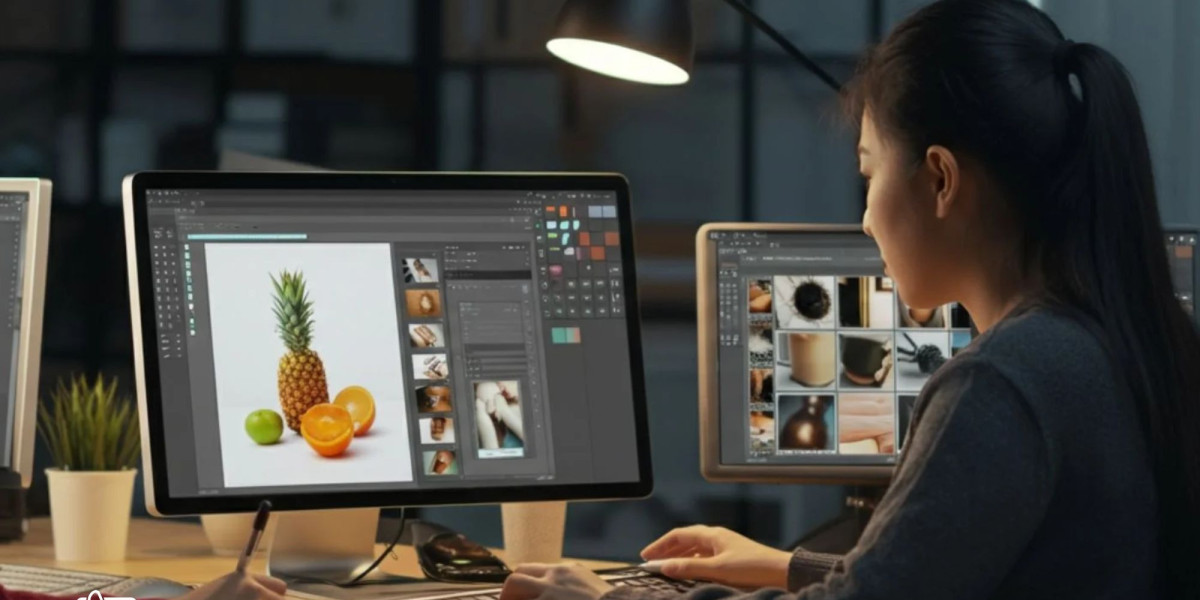

When working with a professional Photo Retoucher in London, one of the most common questions photographers, e-commerce brands, and creative agencies ask is: Which file format should I send for the best retouching results?
The answer depends on the type of project, the level of editing required, and the final use of the images. Whether you need fashion retouching, product photo enhancement, jewellery editing, or commercial campaign work, sending the correct file format can make a major difference in image quality and workflow efficiency.
In this guide, we’ll explain the best file formats for professional retouching, when to use them, and how they help achieve high-end results from expert photo retouching services.
Why File Format Matters in Professional Retouching
Every image file stores visual information differently. Some formats keep maximum image detail, while others compress data to reduce file size. A professional retoucher needs high-quality image data to preserve texture, colour accuracy, and fine details during editing.
If you send low-quality or heavily compressed files, even the best retoucher may face limitations when correcting exposure, skin texture, shadows, or product imperfections.
Professional retouchers generally prefer formats that:
- Preserve maximum image detail
- Support non-destructive editing
- Maintain colour accuracy
- Allow advanced layer adjustments
- Provide flexibility for printing and web use
This is why many clients working with a Photo retouching agency in London are advised to submit RAW or TIFF files whenever possible.
RAW Files – The Best Option for High-End Retouching
RAW files are considered the gold standard for professional editing. They contain unprocessed image data directly from the camera sensor.
Why RAW Files Are Preferred
A RAW file gives retouchers far more control over:
- Exposure correction
- White balance adjustment
- Highlight recovery
- Shadow detail
- Colour grading
- Skin retouching
- Product texture enhancement
Unlike JPEG images, RAW files preserve all original image information. This makes them ideal for fashion photography, beauty campaigns, commercial shoots, and premium e-commerce imagery.
Most professional photo retouching services prefer RAW files because they allow maximum editing flexibility without reducing image quality.
Common RAW File Formats
Different camera brands use different RAW extensions:
- Canon –
.CR2or.CR3 - Nikon –
.NEF - Sony –
.ARW - Fujifilm –
.RAF - Panasonic –
.RW2
If you are unsure which format to send, your retoucher can usually work with most camera RAW formats.
TIFF Files – Ideal for High-Quality Editing
TIFF (Tagged Image File Format) is another excellent option for professional retouching.
Unlike JPEG files, TIFF images can retain high-quality image data with minimal compression. TIFF files are widely used in commercial photography, publishing, advertising, and catalogue production.
Benefits of TIFF Files
- Supports layers
- Maintains high resolution
- Excellent for printing
- Preserves colour accuracy
- Works well in advanced Photoshop workflows
Many businesses using photoshop editing services in london send TIFF files for product photography, magazine work, and advertising campaigns.
The main downside is file size. TIFF images can be very large, so cloud sharing platforms are often needed for delivery.
PSD Files – Best for Layered Photoshop Work
PSD files are native Adobe Photoshop documents. These files are useful when projects require ongoing edits, revisions, or collaboration between designers and retouchers.
PSD Files Are Useful For:
- Multi-layer editing
- Complex composites
- Background replacement
- Advertising campaigns
- Beauty retouching
- Advanced masking work
A PSD file preserves adjustment layers, masks, and retouching edits, making future modifications easier.
Many companies offering Image Editing service solutions prefer PSD files when clients require long-term editing flexibility.
JPEG Files – Acceptable for Basic Retouching
JPEG is the most commonly used image format online. It is lightweight and easy to share, but it uses compression that reduces image quality.
When JPEG Files Work Well
JPEGs are suitable for:
- Simple colour correction
- Basic retouching
- Social media content
- Quick web uploads
- Low-budget projects
However, JPEG files are not ideal for heavy retouching because compressed images lose detail during editing.
If you are hiring a Photo Retoucher in London for premium commercial work, RAW or TIFF files will usually provide far better results.
PNG Files – Best for Transparent Backgrounds
PNG files are commonly used for digital graphics and web-based content because they support transparent backgrounds.
Best Uses for PNG Files
- E-commerce product cut-outs
- Logo overlays
- Web graphics
- Transparent product images
While PNG files maintain good quality, they are not commonly used for advanced photographic retouching.
Still, many businesses using a photo retouching service in uk may request PNG exports after editing for website use.
Which File Format Is Best for E-Commerce Photography?
For e-commerce brands, image quality directly impacts customer trust and sales conversions.
Professional retouchers usually recommend:
| Project Type | Best File Format |
|---|---|
| Product Photography | RAW or TIFF |
| Fashion Photography | RAW |
| Jewellery Photography | RAW or PSD |
| Website Uploads | JPEG or PNG |
| Print Advertising | TIFF |
| Catalogue Design | PSD or TIFF |
A reliable Photo retouching agency in London will often guide clients on the best format based on their specific workflow.
How to Send Files to a Professional Retoucher
Large image files can be difficult to send through email. Most professional retouchers use cloud-sharing platforms such as:
- Google Drive
- Dropbox
- WeTransfer
- OneDrive
Before sending files, it’s helpful to:
- Organize images into folders
- Rename files clearly
- Include editing instructions
- Mention required dimensions
- Specify final usage (print or web)
Good communication helps professional retouchers deliver faster and more accurate results.
Should You Edit Images Before Sending Them?
In most cases, it’s better not to apply filters or heavy edits before sending files to a retoucher.
Professional retouchers prefer original files because they provide more flexibility during editing.
Avoid:
- Over-sharpening
- Heavy Instagram filters
- Excessive compression
- Multiple re-saves of JPEG files
The cleaner the original image, the better the final retouched result.
What Professional Retouchers Usually Need From Clients
To ensure smooth collaboration, retouchers often ask for:
- Original image files
- Editing references
- Brand guidelines
- Colour preferences
- Output requirements
- Deadline information
Experienced teams providing Photo retouching services can then tailor the editing style to match your brand identity.
Choosing the Right Retouching Partner
Selecting the right retouching company matters just as much as choosing the right file format.
A skilled retouching team understands:
- Colour consistency
- Natural skin retouching
- Product detail enhancement
- Shadow creation
- Background cleaning
- High-end commercial finishing
If you are looking for reliable and professional support, Ecommerce Image Editing offers professional retouching and editing solutions for e-commerce businesses, photographers, and creative brands.
Final Thoughts
Sending the correct file format is one of the easiest ways to improve the quality of your retouched images. RAW files remain the best choice for professional editing because they preserve maximum image detail and flexibility. TIFF and PSD files are also excellent for high-end commercial workflows, while JPEG and PNG files work better for lighter editing and web use.
Whether you are working with a fashion photographer, an online store, or a professional Photo Retoucher in London, understanding file formats helps ensure better communication, smoother workflows, and stronger final results.